Dell UltraSharp 34 Review: Why I Ditched Dual Monitors
One cable to rule them all. How switching to an ultrawide simplified my desk and boosted my focus.
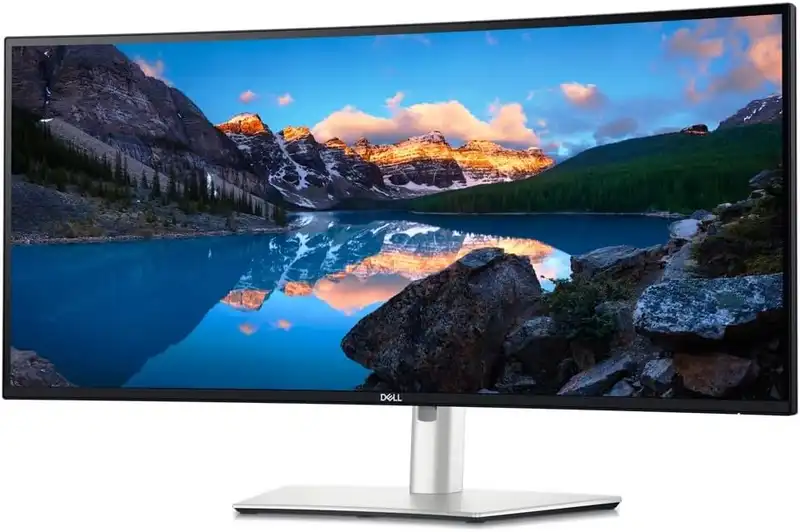
For years, I was a "two monitor" guy. I thought more screens meant more productivity. But the reality was messy: a black bezel gap right in my center of vision, a tangle of cables, and constant neck turning. Switching to this 34-inch ultrawide changed everything.
Thunderbolt connectivity
The part I didn't expect: it's also a full docking station. One Thunderbolt 4 cable connects to my MacBook and carries video, data for all my peripherals, and 90W of power simultaneously. I sit down, plug in one cable, and everything wakes up. That habit is now so baked into my routine that using a regular monitor feels like a step backward.
IPS Black and contrast performance
Dell's "IPS Black" technology isn't just marketing hype. It doubles the contrast ratio of standard office monitors. Blacks look deeper and richer, which is a massive win for coding in dark mode. For the first time, "black" actually looks black rather than a washed-out grey.
Ultrawide vs. dual monitors: which should you buy?
This is the real decision most people are weighing, so here's the honest tradeoff after running both. A dual-monitor setup is cheaper and lets you put two apps truly full-screen — but you're looking at a bezel gap dead center, managing two power bricks and two video cables, and turning your neck to the "second" screen all day. A single ultrawide costs more up front and eats more desk depth, but it's one continuous canvas, one cable, and (on this Dell) one built-in dock. Below is how I'd frame the choice.
The setup that fits how you actually work
Dual monitors
Two separate panels side by side. The traditional, budget-friendly path.
- Cheaper — two solid 27" panels cost less than one premium ultrawide
- Each app can go genuinely full-screen on its own display
- A bezel gap sits in your center of vision
- More cables and usually a separate dock to manage
- You physically turn your head toward the second screen
34" Ultrawide (this Dell)
One continuous 3440×1440 canvas with a built-in Thunderbolt dock.
- One uninterrupted workspace — no bezel down the middle
- Single Thunderbolt cable carries video, peripherals, and power
- Replaces a separate docking station entirely
- Costs more up front and needs ~32" of desk depth
- Snap windows side by side to mimic two screens when you want to
My take: if your bottleneck is cable clutter and a cluttered center of vision, the ultrawide wins and you stop thinking about your setup. If you're on a tight budget or you genuinely need two apps pinned full-screen (say, live video on one and work on the other), dual monitors are still the smarter spend. For a single-machine or Mac-plus-PC desk, the built-in KVM here is what tipped me over.
✅ The Good
- IPS Black panel with noticeably deeper contrast than standard monitors
- Built-in Thunderbolt 4 hub saves desk space
- Smooth 120Hz refresh rate for productivity
- Single-cable setup for Mac and PC
❌ The Bad
- Very expensive for an office monitor
- Built-in speakers are mediocre at best
- Requires a deep desk due to its size
Mounting and weight
I use the built-in stand, which is solid and well-engineered, but it does have a large footprint. If you plan on mounting this to a monitor arm, be warned: this monitor is hefty. You will need a high-quality, heavy-duty arm like an Ergotron or a reinforced heavy-duty option. A standard Amazon Basics or entry-level arm likely won't handle the weight without drooping.
Should you buy it?
Ready to upgrade your desk setup?
One Thunderbolt cable for both my Mac and PC, an IPS Black panel with contrast my old dual setup couldn't touch, and one less bezel down the middle. It's expensive and needs a deep desk — worth it if you live at this screen.
How I Test My Gear
I own and use every product listed here. No "review units" that I send back after a week.
I continuously use and re-evaluate products. When I find something better or stop using a product, I update my recommendations.
Tested in a real home environment with limited space and budget constraints.
ⓘ Links below may earn us a commission at no cost to you. We only recommend products we actually use and love. Learn more about our affiliate policy
Cite this guide: "Dell U3425WE Review", jason.guide, updated January 7, 2026. https://jason.guide/gear/dell-ultrasharp-34-review
